
Segmented Ring Gauge Chart
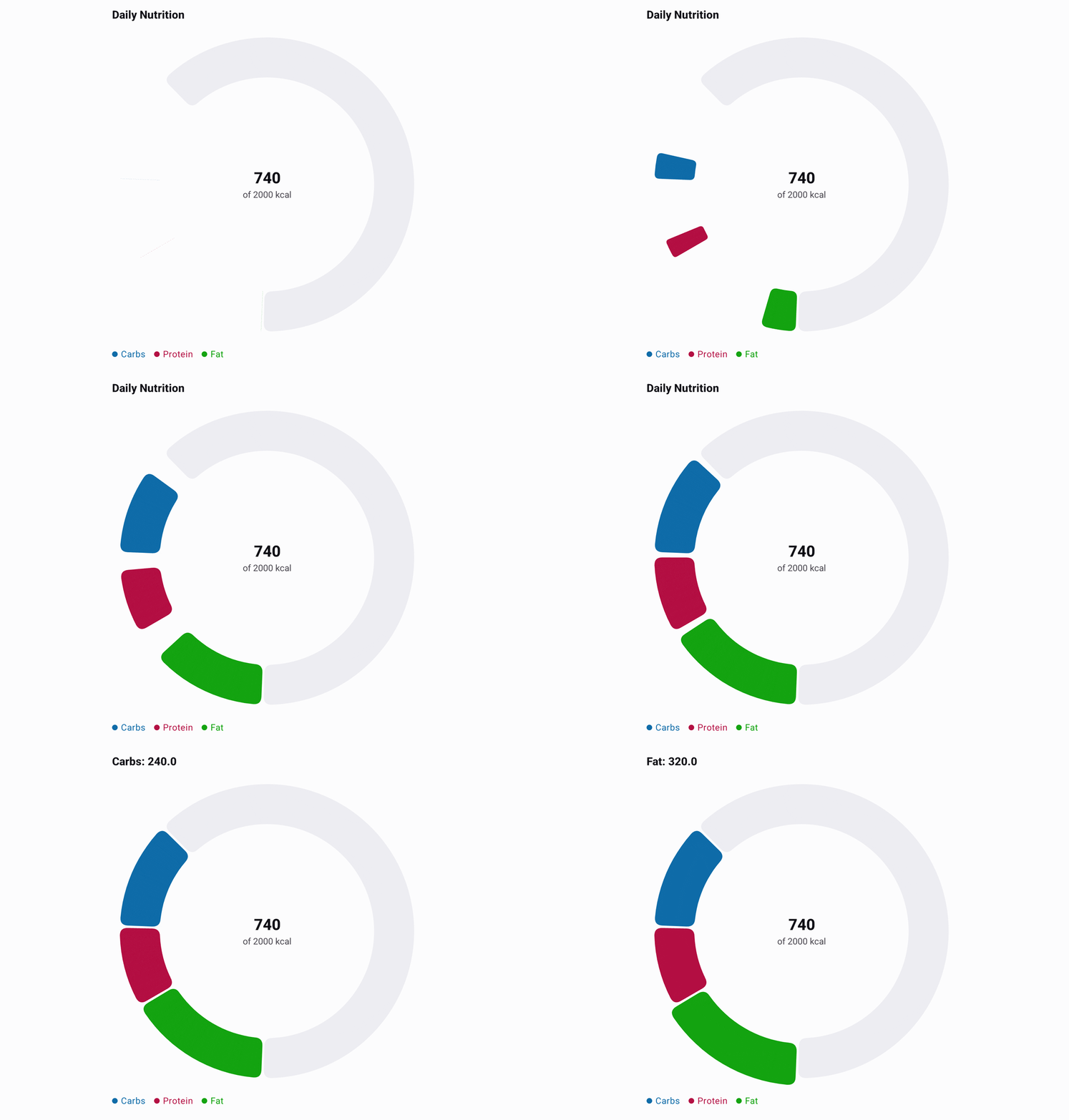
SegmentedRingGaugeChart shows how several contributions fill one fixed capacity. It differs from
a pie chart: the colored segments can occupy only part of the ring, and the remaining capacity stays
visible as its own rounded track segment.
Add the existing gauge module:
implementation("io.github.hdcharts:gauge:<version>")@Composable
fun CalorieProgress() {
SegmentedRingGaugeChart(
data = listOf(240.0, 180.0, 320.0).toChartData(
categories = listOf("Carbs", "Protein", "Fat"),
),
capacity = 2_000.0,
centerSupportingLabel = "of 2000 kcal",
style = SegmentedRingGaugeChartDefaults.style(
segments = SegmentedRingGaugeChartDefaults.segments(
colors = listOf(Color(0xFF3B91CC), Color(0xFF1EB157), Color(0xFFE3B713)),
),
legend = SegmentedRingGaugeChartDefaults.legend(visible = false),
),
)
}The chart calculates the centre value from its segments (740 in this example) unless you pass a
custom centerLabel. Use centerSupportingLabel for context such as the capacity and unit.
Input and selection
Pass exactly one series of non-negative values. Its total must be finite and no greater than the
finite, positive capacity; invalid input renders the standard chart error UI. Categories are
optional, but when supplied they name the segments in the legend and in the selected title.
Tap a visible segment to select it. The selected segment scales up and the title reads
Category: value. User selections clear automatically after three seconds; tapping the same or
another segment renews the timeout. Tap the track or the hole to clear the selection. Set
interactionEnabled = false for a static display with persistent programmatic selection.
Styling
segments controls the palette, ring width, opacity, and angular space between segments. The track
represents only unused capacity, and centerLabels styles the value and supporting text. Its
width, spacing, cornerRadius, startPosition, and direction parameters control the complete
segment silhouette and placement.