
Bar Chart
Overview
BarChart compares values across named categories. It supports positive and negative values and
draws them from a zero baseline. Use it for discrete comparisons such as daily totals or category
counts.
implementation("io.github.hdcharts:bar:3.1.0")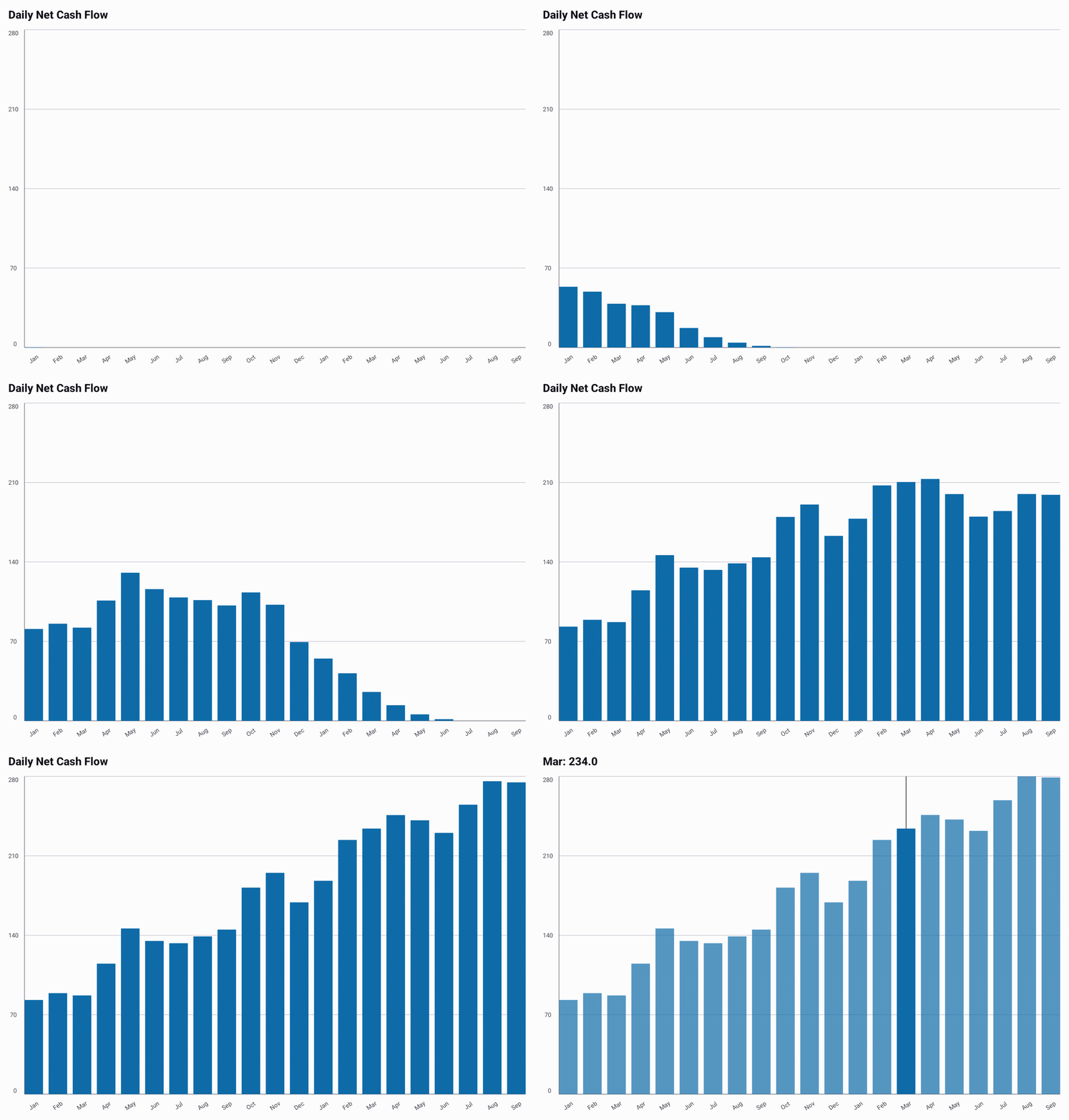
Recording source: BarExample.kt.
Basic Usage
This complete example maps application data with toChartData() and renders signed daily cash
flow with the default bar style.
import androidx.compose.foundation.layout.fillMaxWidth
import androidx.compose.foundation.layout.height
import androidx.compose.runtime.Composable
import androidx.compose.ui.Modifier
import androidx.compose.ui.unit.dp
import io.github.hdcharts.bar.BarChart
import io.github.hdcharts.core.model.toChartData

internal data class DailyCashFlow(
    val day: String,
    val amount: Double,
) {
    companion object {
        const val TITLE = "Daily Net Cash Flow"
        const val SERIES_NAME = "Net cash flow"

        val sample =
            listOf(
                DailyCashFlow("Mon", 45.0),
                DailyCashFlow("Tue", -12.0),
                DailyCashFlow("Wed", 38.0),
                DailyCashFlow("Thu", 27.0),
                DailyCashFlow("Fri", -19.0),
            )
    }
}

@Composable
fun ShowDailyCashFlow() {
    val data =
        DailyCashFlow.sample.toChartData(
            value = DailyCashFlow::amount,
            category = DailyCashFlow::day,
            seriesName = DailyCashFlow.SERIES_NAME,
        )

    BarChart(
        data = data,
        modifier = Modifier.fillMaxWidth().height(280.dp),
        title = DailyCashFlow.TITLE,
    )
}
Capabilities
Fixed Value Range
The automatic range includes zero, so it provides a meaningful baseline for positive, negative, or
mixed values. Set explicit bounds when related charts or changing datasets need a consistent scale.
This excerpt reuses data from Basic Usage.
@Composable
fun CompareCashFlow(data: ChartData) {
    BarChart(
        data = data,
        style =
            BarChartDefaults.style(
                range = BarChartDefaults.range(min = -50.0, max = 50.0),
            ),
    )
}
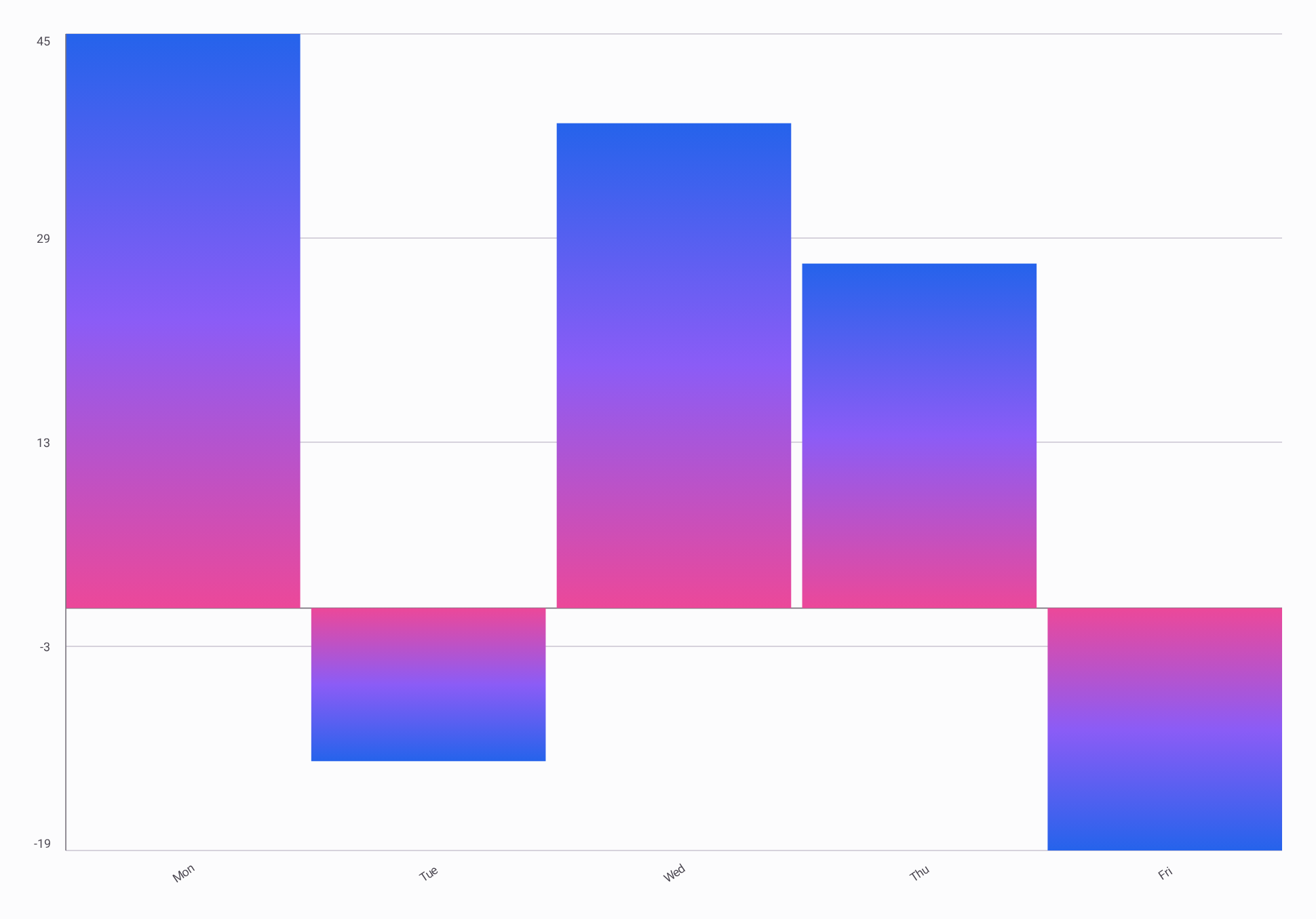
Gradients
Each bar repeats the vertical blue-to-purple-to-pink gradient. The excerpt reuses data from Basic
Usage.
@Composable
fun DailyCashFlowGradient(data: ChartData) {
    val colors =
        listOf(
            Color(0xFF2563EB),
            Color(0xFF8B5CF6),
            Color(0xFFEC4899),
        )
    val gradient = ChartGradients.vertical(colors = colors)

    BarChart(
        data = data,
        style =
            BarChartDefaults.style(
                bars = BarChartDefaults.bars(gradient = gradient),
            ),
    )
}
For GradientSpan.Shape and GradientSpan.Plot, custom stops, and gradient direction, see the
shared Gradients guide.